Orders in one place, stock in another
When the order book and the stock sheet are separate, stock has to be updated by hand after every sale. One forgotten update and a sold item gets sold again.
Where an order stands also gets lost in messages: was it packed, shipped, delivered? Who changed the status, and when?
A status flow, a history and sales tied to stock
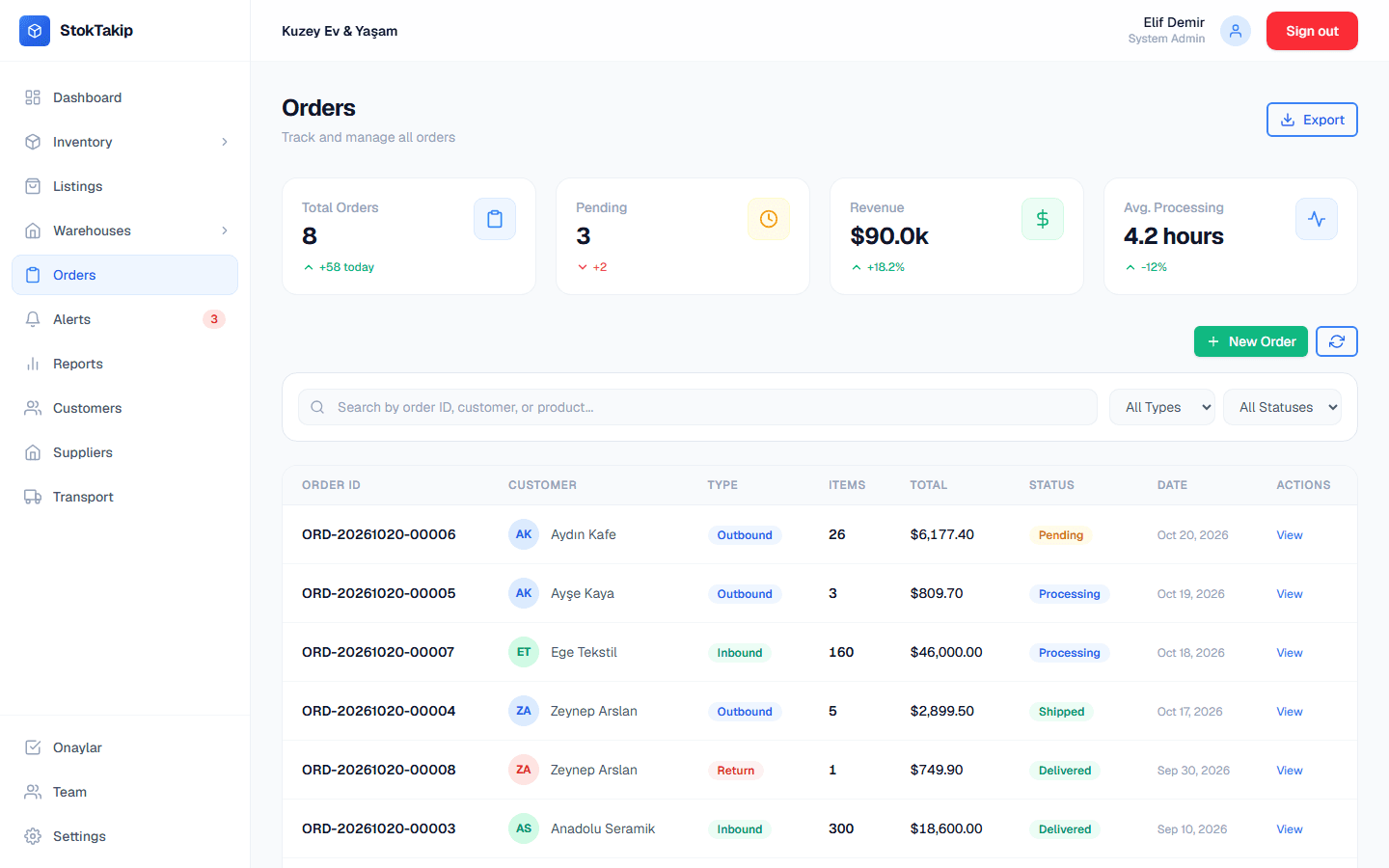
Orders in StokTakip are outbound (sales), inbound (purchases) or returns. Each gets an automatic order number and moves through pending, processing, shipped and delivered, and can be cancelled. Every status change is saved to the order's history with who made it and when.
When you create a sales order, each line's stock is deducted right away from the warehouse you chose, so the same item can't be sold twice. If the order is cancelled, the stock is added back. For bundles the components are deducted, for products with variants the specific variant.
Inbound and return orders are records: they don't change stock automatically. To add received or returned goods, make a stock adjustment in the relevant warehouse. Customer, supplier and carrier records live in the same dashboard.
How it works
Create the order
Pick the type, enter the customer or supplier, and add products, quantities, prices and the warehouse.
Move it forward
Take the order through processing, shipped and delivered.
Check the history
See every status change on the order detail, with who made it and when.
Cancel if needed
Cancelled sales orders put their stock back automatically.
Details
- Order types: outbound (sales), inbound (purchase), return.
- Statuses: pending, processing, shipped, delivered, cancelled.
- Creating a sales order deducts stock from the chosen warehouse; cancelling adds it back.
- Inbound and return orders don't change stock automatically; add it with a stock adjustment.
- Search by order number and customer name; filter by type and status.
- Customer, supplier and carrier records.
In practice: keeping orders in order
Create the sales order as soon as the customer confirms. Stock is deducted from the chosen warehouse on creation, so the item can't be sold to someone else while it's being packed; cancelling puts the stock back.
Update statuses as things happen: processing when packing starts, shipped when the carrier has it, delivered when it arrives. That answers customer questions quickly and keeps reports right, since revenue is calculated from delivered sales orders.
Record supplier deliveries as inbound orders and add the stock with an adjustment after receiving the goods. Record returns as return orders and add the item back only if it's sellable, so damaged goods don't slip into sellable stock.
The order history shows who changed what, which helps a lot when a growing team looks into complaints or wrong shipments.
Filtering orders by type and status makes daily planning easier: pending and processing sales orders in the morning show what gets packed today, and shipped ones prepare you for customer questions.
Frequently asked questions
When is stock deducted for a sale?
As soon as the sales order is created, from the warehouse chosen for each line, so the item can't be sold to another order while it's being packed.
Are returned items added back to stock automatically?
No. A return order is a record; after checking the item, add it back with a stock adjustment in the right warehouse.
How do goods from a supplier get into stock?
Create an inbound order as the record, and after receiving the goods increase stock with a stock adjustment in that warehouse.
Can I see who changed an order's status?
Yes. Every change is saved to the order history with the old and new status, who changed it and when.
How are order numbers created?
Each order gets an automatic number made of the date and that day's sequence, for example ORD-20261020-00006. Search by number to find an order quickly.
Where do I keep customer and supplier records?
Customers live on the Customers screen, suppliers on Suppliers and carriers on Transport, with details such as contact and tax information.
Related features
Multi-warehouse management
Stock per warehouse, zones, capacity and transfers between warehouses.
Learn moreBundle stock tracking
Bundle stock calculated from its components, deducted from components when sold.
Learn moreReports
Best sellers, monthly revenue and order trends, stock movements, warehouse and category breakdowns.
Learn more